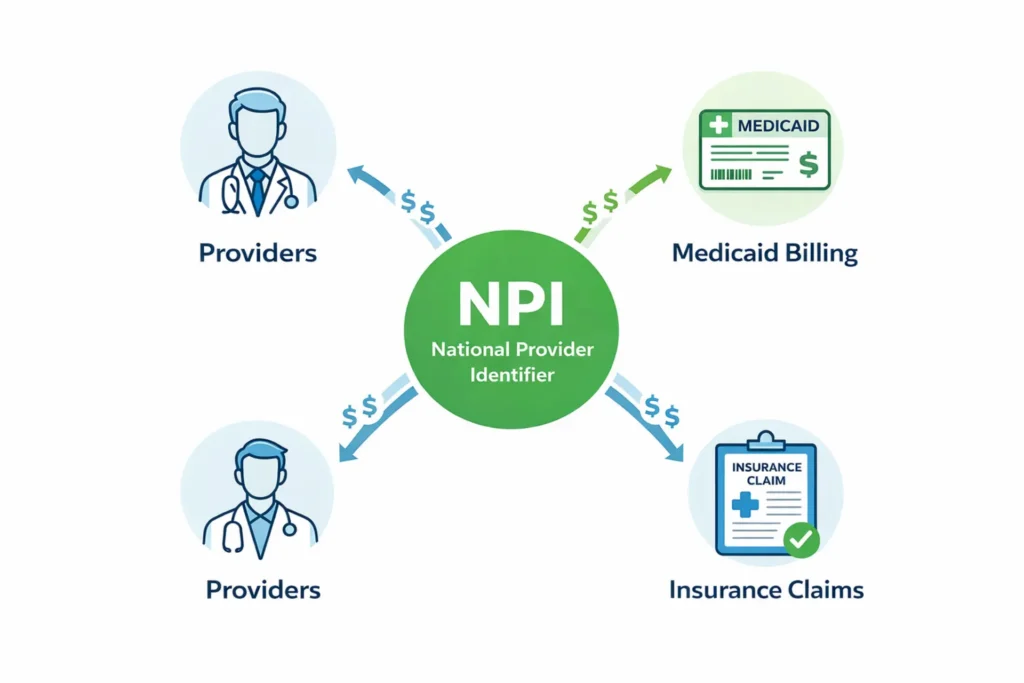
An NPI (National Provider Identifier) is a free, permanent, 10-digit identification number issued by the Centers for Medicare & Medicaid Services (CMS) to covered healthcare providers under the HIPAA Administrative Simplification Standard (45 CFR §162.410). Every NEMT provider billing Medicaid or Medicare must have one. Your business entity needs a Type 2 (Organization) NPI. Applications are free at the NPPES portal (nppes.cms.hhs.gov) and online applications process in approximately 10 business days. An NPI is not the same as full credentialing — it’s the first step of a 60–120 day process.
━━━━━━━━━━━━━━━━━━━━━━━━━━━━━━━━━━━━━━━━━━━━━━━━━
If you’re looking for how to get an NPI number for NEMT providers, this guide walks you step-by-step. Every NEMT provider needs an NPI number. Without one, every single Medicaid claim you submit will be rejected before it ever reaches an adjudicator. But here’s what most startup guides won’t tell you — getting your NPI is just the first step. The real journey is full credentialing, and it takes 60 to 120 days from start to your first paid trip.
This guide covers the complete path. You’ll get the NPI application walkthrough, the taxonomy code that most operators get wrong, and the broker credentialing requirements for MTM, ModivCare, MAS, Alivi, and Verida that no competitor publishes in one place. If you’re still working through your startup steps, our guide on how to start a NEMT business and our how to become a NEMT provider guide cover the foundational setup before you apply here.
Table of Contents
What Is an NPI Number and Why Every NEMT Provider Must Have One
Every denied Medicaid claim submitted without a valid NPI is 100% irrecoverable. There’s no appeal path for a missing identifier, no grace period, and no substitute. The system rejects the claim at the clearinghouse level before a single human reviews it.
NPI stands for National Provider Identifier. It’s a 10-digit, intelligence-free number — meaning it contains no embedded information about your specialty, location, or credentials. CMS issues it permanently under HIPAA Administrative Simplification, and it follows your business for life regardless of ownership changes, relocations, or structural changes.
The HIPAA Mandate That Makes NPI Non-Negotiable
Under 45 CFR Part 162, Subpart D — specifically §162.410 — all covered healthcare providers must use an NPI in every HIPAA standard electronic transaction. That includes the 837P professional claim, the 270/271 eligibility inquiry, the 276/277 claim status request, and the 835 remittance advice. NEMT providers that electronically bill Medicaid are classified as covered healthcare providers under §160.103. That’s not optional language. It’s a federal mandate with a compliance date of May 23, 2008.
The NPI Final Rule was issued January 23, 2004. In the years since, “atypical provider” status has become the last refuge for those hoping to avoid the requirement. But NEMT providers billing Medicaid electronically don’t qualify as atypical. You’re a covered entity. You need an NPI.
How NPI Works in NEMT Medicaid Billing (CMS-1500 and 837P)
Your NPI appears in multiple places on every claim you file. On the CMS-1500 paper form, the placements are specific:
| Box Number | Field Name | Whose NPI | NEMT-Specific Notes |
|---|---|---|---|
| Box 17b | Referring Provider NPI | Ordering physician/social worker | NPI of the doctor who ordered the transport |
| Box 24J | Rendering Provider NPI | Individual driver (Type 1) | Required by some state Medicaid plans for the actual driver |
| Box 32a | Service Facility Location NPI | Business/garage location | NPI of the physical location where the trip originates |
| Box 33a | Billing Provider NPI | Your company (Type 2) | Your organization’s NPI — must match your bank and payer file |
On the 837P electronic claim, your organization’s NPI goes into Loop 2010AA (Segment NM109) as the billing provider, while any rendering driver’s NPI goes in Loop 2310B. This is where broker relationships get complicated. When you work through MTM or ModivCare, the billing claim structure depends on whether you’re submitting directly or through the broker. Confirm with each broker which NPI fields they expect and how they’re mapping your billing provider versus rendering provider.
For a full breakdown of how claims flow from trip to payment, see our NEMT billing requirements guide.
Consequences of Billing Without a Valid NPI
Without a valid NPI, your claim triggers Rejection Code 208 at the clearinghouse — “Incorrect or Missing National Provider Identifier.” This is a structural rejection, not a denial. It means the claim is invalid before adjudication begins. CO-16 denials follow if incomplete claims get through to the payer level.
The financial risk compounds fast. A solo operator billing 150 trips per month who loses even 20% to NPI-related rejections loses thousands of dollars monthly. If past claims are audited and auditors find NPI was inactive or misregistered during a billing period, those claims become recoupment targets.
Get your NPI before you dispatch your first Medicaid trip. Not after.
Action step: Go to nppes.cms.hhs.gov right now and confirm whether you have an active NPI. If not, start the application today.
Type 1 NPI vs Type 2 NPI: Which One Does Your NEMT Business Need?
Choosing the wrong NPI type is one of the most common and most expensive application errors. It doesn’t just slow your approval — it forces a full restart. And when you’re 45 days into your Medicaid enrollment window, a 10-day do-over feels like a month.
Type 1 NPI — For Sole Proprietors and Individual Owner-Operators
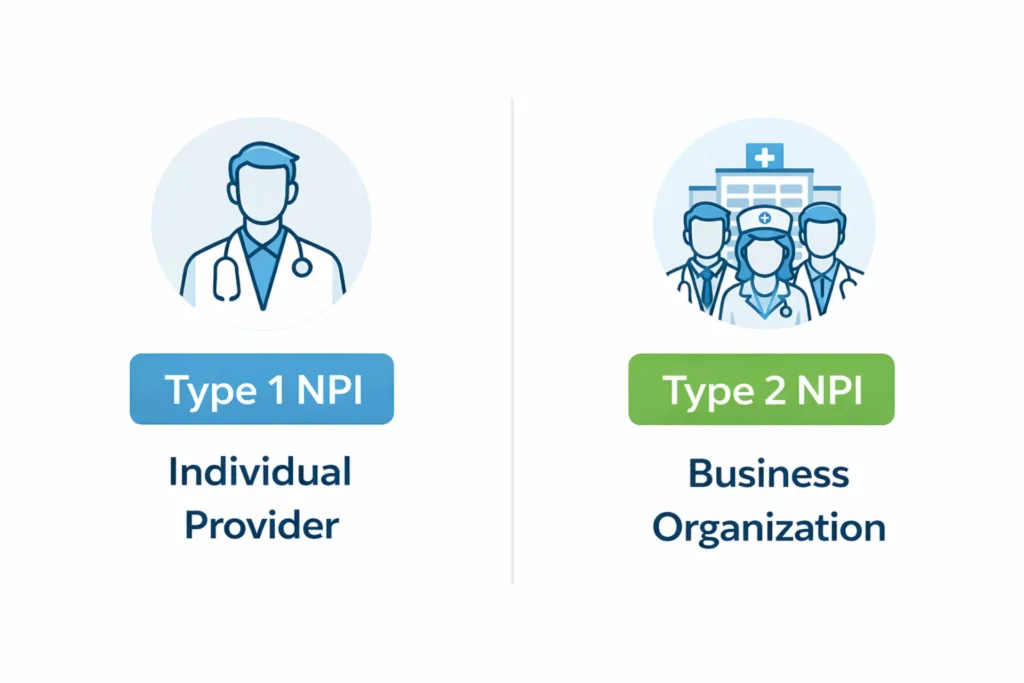
A Type 1 NPI is issued to individual healthcare providers. In the NEMT context, this means sole proprietors who operate as unincorporated businesses and bill Medicaid directly under their own name and Social Security Number (SSN).
If you’re an owner-operator — no LLC, no corporation, just you driving your van and billing Medicaid personally — Type 1 is your starting point. Type 1 NPIs stay with the individual for life. They don’t transfer to a business if you later incorporate. If you ever form an LLC, you’ll also need a Type 2 for the new entity.
To apply for Type 1 NPI, you need your legal name, SSN or ITIN, date of birth, contact information, and your taxonomy code.
Type 2 NPI — For LLCs, Corporations, and Business Entities
A Type 2 NPI is issued to business organizations. If your NEMT company is an LLC, S-Corp, C-Corp, or Partnership, you need a Type 2 NPI linked to your Employer Identification Number (EIN), not your SSN. This is the most common situation for NEMT providers.
Type 2 NPIs stay with the business entity. If the owner changes but the legal entity remains the same, the NPI stays. You’ll need to designate an Authorized Official — the person with legal authority to bind the company to federal regulations. For an LLC, this is typically the Managing Member or Owner. For a corporation, it’s usually the President or CEO.
Type 2 NPI applications require: legal business name exactly as registered with the IRS, EIN, business physical address (no P.O. boxes), authorized official’s name and title, and your taxonomy code.
When an NEMT Provider Needs Both Types
There are specific scenarios where you’ll need both. If you own an LLC (Type 2) but also personally perform driving duties billed as the rendering provider, some state Medicaid plans require your personal Type 1 NPI in Box 24J as the rendering provider identifier.
| Feature | Type 1 NPI (Individual) | Type 2 NPI (Organization) |
|---|---|---|
| Issued to | An individual person | A business entity |
| Tax ID used | SSN or ITIN | EIN |
| Business structure | Sole proprietor (unincorporated) | LLC, S-Corp, C-Corp, Partnership |
| Claim role | Rendering provider (Box 24J) | Billing provider (Box 33a) |
| Stays with | The person — for life | The business entity |
| Authorized Official required? | No | Yes |
| Subparts available? | No | Yes (multi-location fleets) |
| Taxonomy code (NEMT van) | 343900000X | 343800000X or 343900000X |
| Cost | Free | Free |
Your decision:
- Sole proprietor, unincorporated, billing personally → Type 1
- LLC, S-Corp, C-Corp, Partnership → Type 2
- Owner who drives AND has an LLC → Both Types
- DBA with no separate legal entity → follows underlying structure
Action step: Confirm your business structure with your accountant before applying. Getting this wrong adds 10–20 days to your timeline.
NPI Taxonomy Codes for NEMT Providers (The One Most People Get Wrong)
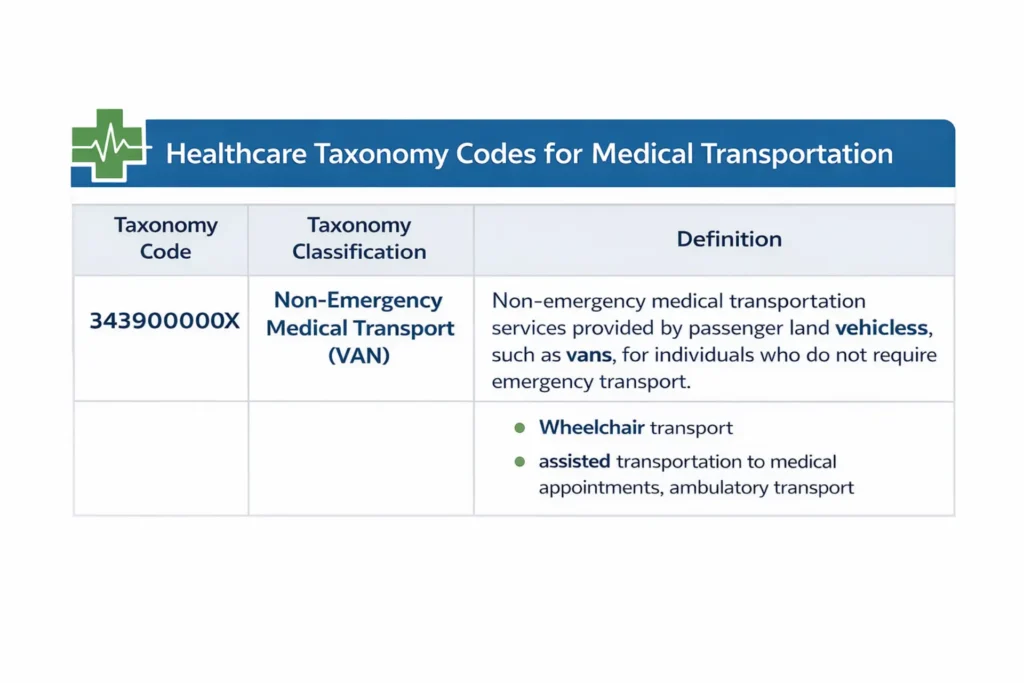
The wrong taxonomy code doesn’t just delay your NPI application. It can block your Medicaid enrollment entirely and create “Service Inconsistent with Provider Type” hard denials on every claim until you correct it.
What Is an NPI Taxonomy Code?
A taxonomy code is a 10-character alphanumeric code that identifies your provider type and specialty within the healthcare system. It doesn’t replace your license. It doesn’t reflect your credentials. It classifies what service you provide and what type of vehicle you operate. The National Uniform Claim Committee (NUCC) maintains the official taxonomy code set at taxonomy.nucc.org, updating it twice each year in January and July. You must select at least one taxonomy code on your NPI application, and you must designate one as your primary taxonomy.
The Correct Taxonomy Code for NEMT Van Services
Most NEMT operators providing wheelchair or ambulatory van transport should use 343900000X — Non-Emergency Medical Transport (VAN) as their primary code. This is the standard code for the overwhelming majority of NEMT businesses.
Some operators use 343800000X — Secured Medical Transport (VAN), which is appropriate for behavioral health or crisis intervention transport requiring specialized staff training. If you don’t run behavioral health transport with specifically trained staff, don’t use this code.
Alternative Taxonomy Codes and When to Use Them
| Taxonomy Code | Description | Use This When | Right Choice? |
|---|---|---|---|
| 343900000X | Non-Emergency Medical Transport (VAN) | Standard wheelchair or ambulatory van transport | ✅ Primary choice for most NEMT operators |
| 343800000X | Secured Medical Transport (VAN) | Behavioral health or crisis transport with trained staff | ✅ Only with specialized training |
| 344600000X | Taxi (Non-Emergency Medical Transport) | Curb-to-curb sedan or taxi transport | ✅ For ambulatory, low-acuity rides |
| 347C00000X | Private Vehicle | Individual drivers using personal cars | ✅ For Type 1 NPI independent contractors only |
| 347E00000X | Transportation Broker | Administrative network managers | ❌ Not for fleet owners or providers |
| 341600000X | Ambulance | Emergency services only | ❌ Never use for NEMT |
| 3416L0300X | Ambulance, Land Transport | Licensed EMS providers only | ❌ Never use for NEMT |
| 390200000X | Clinical Medical Laboratory | Lab services only | ❌ Completely wrong category |
What Happens If You Use the Wrong Taxonomy Code
A wrong taxonomy code creates a mismatch between your NPI record and your Medicaid enrollment application. The most common mistake is selecting an Ambulance code. Medicaid systems validate taxonomy against service codes — if your taxonomy says ambulance but your HCPCS codes say NEMT, the claim produces a hard denial: “Service Inconsistent with Provider Type.”
To fix it, log into your NPPES account, update your primary taxonomy, and notify your state Medicaid enrollment coordinator of the change. You may need to update your state Medicaid enrollment separately. This process can take 2–4 weeks.
Action step: Before submitting, triple-check that 343900000X or 343800000X is your primary taxonomy and matches the services you’re billing.
How to Apply for Your NPI Number Step-by-Step (NPPES Walkthrough)
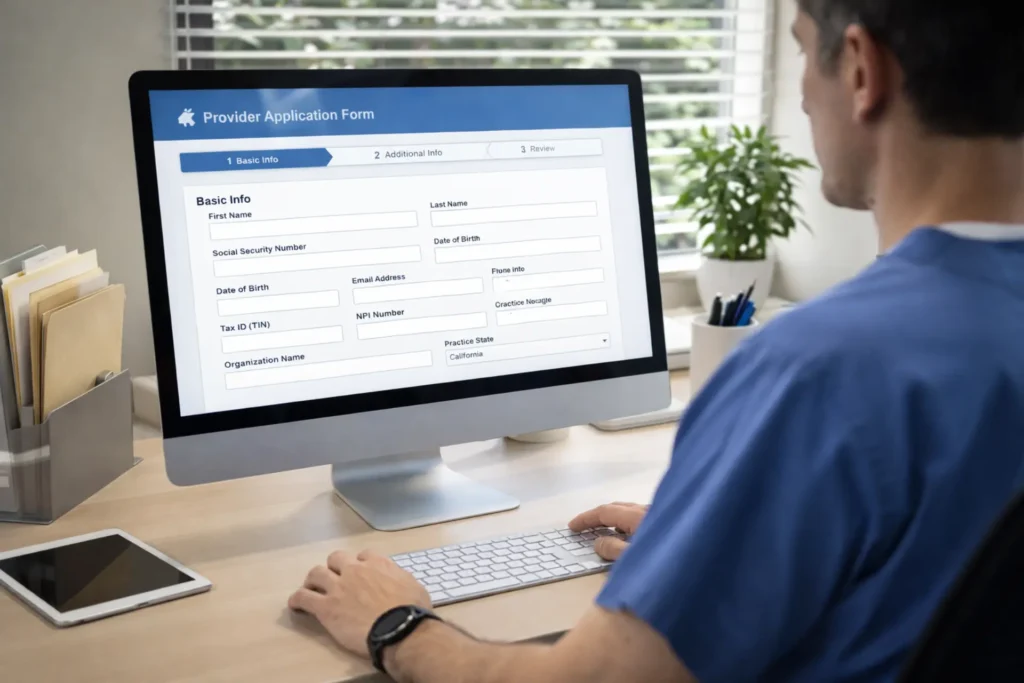
Most operators take three times longer than necessary because of avoidable errors. Missing a business address format, entering a DBA instead of your legal entity name, or selecting the wrong entity type — any single mistake can add 10 to 20 days to your timeline.
Here’s the pre-application checklist before you open the browser.
Everything You Need Before You Start the Application
Have these ready before you visit nppes.cms.hhs.gov:
- EIN (Employer Identification Number): Required for Type 2 NPI. Get it from IRS.gov using Form SS-4. Keep your IRS CP 575 confirmation letter because you’ll need the legal name exactly as it appears there.
- Legal business name: Exactly as registered with your state and the IRS. Not your DBA. Not your trade name. Your legal registered entity name.
- Physical business address: A real street address where your business operates. No P.O. boxes. If your state registered agent uses their address, confirm which address to list as your practice location.
- Authorized Official information: Name, title, SSN, and contact details for the person legally authorized to bind your organization.
- Taxonomy code: 343900000X (most NEMT van operators). Have this written down before you open the application.
Step-by-Step NPPES Online Application Walkthrough
Step 1 — Create Your Identity & Access (I&A) Account Go to nppes.cms.hhs.gov. Click “CREATE or MANAGE AN ACCOUNT.” The I&A system redirects to the CMS Enterprise Portal. Create your login with your name, contact details, and date of birth. Save your credentials — you’ll need them every time you update your NPI.
Step 2 — Start a New NPI Application After your I&A login, you’ll see your NPPES dashboard. Click “Apply for an NPI.” For an LLC or corporation, select “Apply for an NPI for an Organization” — this routes you to the Type 2 application.
Step 3 — Select Your Entity Type The application asks if you’re applying for yourself or someone else, and whether the provider is a sole proprietor. For an LLC or corporation, answer No to the sole proprietor question. This is a common stumbling block — answer it wrong and CMS will process your application as a Type 1, creating a mismatch with your EIN.
Step 4 — Enter Business Information Type your legal business name exactly as it appears on your IRS EIN letter. Enter your EIN. Enter your physical practice location (where your vans are dispatched from). If mailing address matches the practice address, select “Same as Business Mailing Address.”
Step 5 — Select Your Taxonomy Code Click “Add Taxonomy.” Search for your code. Select 343900000X — Non-Emergency Medical Transport (VAN) for standard van services. Designate it as your Primary Taxonomy by clicking the Primary flag. You can add secondary codes, but always set your primary first.
Step 6 — Add Authorized Official Information Enter the Authorized Official’s full legal name, title, Social Security Number, and contact information. This is the person who signs the application and binds the organization to HIPAA compliance. An LLC Managing Member, President, or CEO are all appropriate here.
Step 7 — Complete Electronic Certification and Submit Read the certification statement carefully — you’re certifying under penalty of law that all information is accurate. Click Submit. A confirmation screen appears with a reference number. Screenshot it.
Step 8 — Monitor Email for Your NPI Your 10-digit NPI will be emailed from [email protected] within approximately 10 business days for online applications. Check your spam folder. Once received, verify it’s active in the NPI Registry at npiregistry.cms.hhs.gov.
Paper Application Option (CMS-10114 Form)
If you can’t complete the application online, download Form CMS-10114 from the CMS website. Mail the completed form to: NPI Enumerator, P.O. Box 6059, Fargo, ND 58108-6059. Paper applications take up to 20 business days, sometimes longer. Only use paper if the online system is unavailable or you have a specific correction to submit.
After Submission — Tracking and Receiving Your NPI
After submission, you can check your application status by logging back into NPPES. You can also call the NPI Enumerator at 1-800-465-3203 (TTY: 1-800-692-2326) or email [email protected]. Once your NPI arrives, update your billing software, inform your insurance carrier, and begin your state Medicaid enrollment application immediately.
Common NPI Application Errors to Avoid
| Error | Consequence | Fix |
|---|---|---|
| Using DBA instead of legal entity name | EIN mismatch — claim denials | Use the exact name from your IRS CP 575 letter |
| Selecting wrong entity type (Type 1 vs Type 2) | Full application restart | Confirm your business structure before starting |
| Using a P.O. box for practice location | Manual review flag, 2–4 week delay | Use a physical street address only |
| Wrong taxonomy code (ambulance, lab, etc.) | Enrollment rejection, service denial | Verify 343900000X before submitting |
| Authorized official SSN mismatch | Application flagged for fraud review | Have the authorized official present to verify SSN |
| Not updating NPPES within 30 days of changes | Deactivation risk; billing disruption | Log in and update immediately on any business change |
| Personal email instead of business email | Missed NPI confirmation email | Use a monitored business email address |
| Entering multiple primary taxonomy codes | System conflict in claim classification | One primary code only — add others as secondary |
Action step: After receiving your NPI, immediately register it with your state Medicaid agency as part of your enrollment application. The NPI alone doesn’t give you billing access.
NEMT NPI & Credentialing Checklist 2026
Complete every step from NPI application to first paid Medicaid trip. Click each item as you finish it, then download your progress report.
NEMT Provider Credentialing: What It Means and Why It’s Different from Licensure
Having a business license is not the same as being credentialed to bill Medicaid. Thousands of NEMT operators learn this the hard way — they have their LLC registered, their state transportation permit obtained, and their NPI number on file. Then they try to bill Medicaid and get denied. Why? Because they’re licensed to exist but not credentialed to bill.
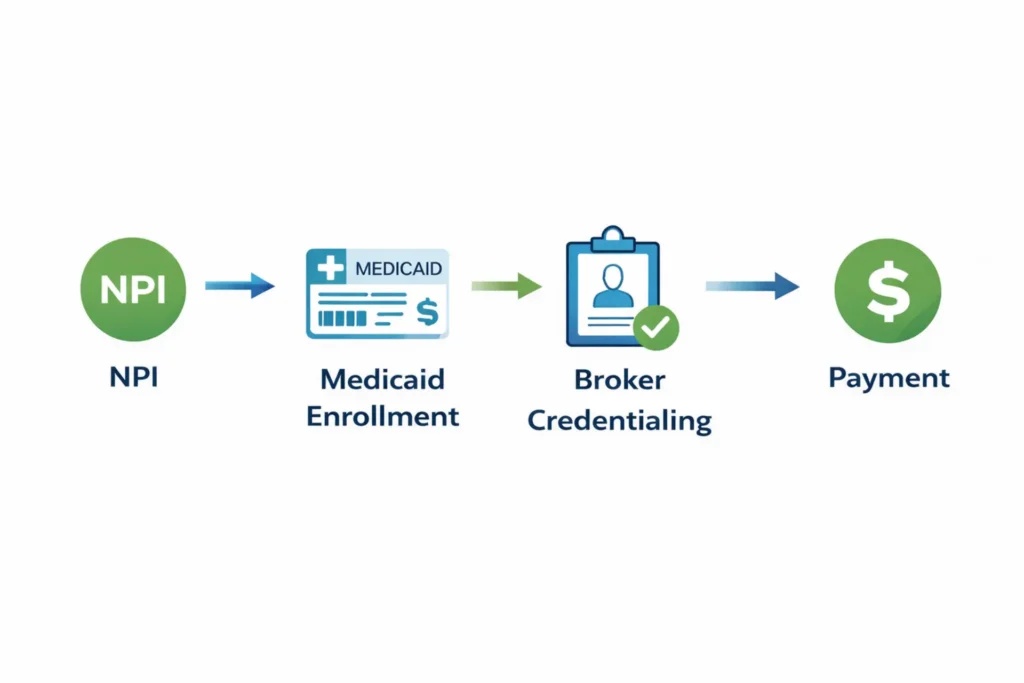
Credentialing vs Licensure — The Critical Distinction
Licensure is permission to operate. Your state business license says you’re legally allowed to run a transportation company. Your state vehicle permits say you can put commercial vehicles on the road. Your driver’s license says you can operate those vehicles.
Credentialing is permission to bill. It’s the payer-driven verification process that says a transportation provider has met every safety, insurance, and operational standard required to handle Medicaid beneficiaries and receive federal reimbursement. Without completed credentialing, you can drive all the trips you want — but you won’t get paid for a single one.
A provider can be fully licensed but completely uncredentialed. And in states with enrollment moratoria like Colorado — where the Department of Health Care Policy and Financing (HCPF) has restricted new NEMT provider applications — even a credentialing attempt can be blocked entirely. Always check current state enrollment status before investing in your fleet.
Who Credentials NEMT Providers?
Multiple entities credential you independently, and none of them share information automatically:
State Medicaid Agencies handle your core provider enrollment. You submit documentation through their portal (CHAMPS in Michigan, TMHP in Texas, eMedNY in New York, AHCA in Florida), they verify your business, insurance, vehicles, and drivers, and they issue your Medicaid Provider Number. This is the baseline credential — without it, nothing else works.
NEMT Transportation Brokers (MTM, ModivCare, MAS, Alivi, Verida) credential you separately for their networks. Your Medicaid enrollment doesn’t automatically enroll you with any broker. Each broker has its own portal, documentation requirements, and standards — often stricter than state Medicaid minimums.
Managed Care Organizations (MCOs) (like UnitedHealthcare Community Plan, Centene, or Molina) may also credential you separately if their members use NEMT. In broker-managed states, your MCO relationship typically flows through the broker.
NEMTAC (Non-Emergency Medical Transportation Accreditation Commission) offers voluntary accreditation that signals you exceed minimum standards. It’s not required for Medicaid billing but increasingly influences broker contracting decisions in competitive markets.
The Full NEMT Credentialing Timeline (60–120 Days)
| Phase | Activity | Timeline | Can Run in Parallel? | Bottleneck Risk |
|---|---|---|---|---|
| Phase 1 | NPI application + EIN/LLC formation | 10–14 days | Yes | IRS processing delays |
| Phase 2 | State Medicaid enrollment application | 30–90 days | Yes (with insurance) | Missing state-specific certifications |
| Phase 3 | Insurance acquisition and COI issuance | 5–10 days | Yes | Incorrect coverage limits for broker |
| Phase 4 | Driver DQFs, background checks, training | 14–30 days | Yes | Lab delays for drug screens |
| Phase 5 | Vehicle inspections and ADA certification | 5–14 days | Yes | ADA lift inspection availability |
| Phase 6 | Broker credentialing applications | 30–90 days | Yes (after Medicaid) | Broker document review backlog |
| Total | End-to-end to first paid trip | 60–120 days | — | State Medicaid review volume |
The single biggest bottleneck is state Medicaid review. States with high NEMT fraud rates (particularly Florida, New York, and California) run thorough manual reviews that routinely extend the 30-day estimated window to 60–90 days. Plan for 90 days as your realistic baseline.
For a complete state-by-state enrollment guide, see our how to become a NEMT provider guide. For the specific document requirements that go into each application, our NEMT documentation requirements page covers every file.
Action step: Start your NPI application, LLC formation, and insurance quotes on the same day. Every day of parallel progress reduces your total timeline.
Medicaid Provider Enrollment for NEMT
Your NPI is approved. Your insurance is in place. Your drivers have completed background checks. Now you hit the real gatekeeper — state Medicaid enrollment. An approved NPI doesn’t give you Medicaid billing access. That requires a separate application, and it runs on a completely different timeline.
State Medicaid Enrollment Application Process
There’s no single federal NEMT enrollment form. Every state runs its own portal with its own documentation requirements and processing timelines. CMS’s PECOS system handles Medicare enrollment — it’s not used for state Medicaid enrollment.
Most states follow a similar process: create a provider account in the state portal, select your provider type (usually “Non-Emergency Medical Transportation”), submit your documentation package, pass the ownership and exclusion screening, and wait for approval. In broker-managed states, you may also need to apply through or coordinate with the contracted broker.
Required Documents for Medicaid Enrollment
Assemble these before opening your state application. A single missing document resets the clock:
| Document | Official Name | Notes |
|---|---|---|
| Business formation | Articles of Organization (LLC) or Articles of Incorporation | Exact legal name must match NPI and IRS records |
| EIN confirmation | IRS CP 575 Notice | CMS and state portals verify this against NPI records |
| NPI confirmation | NPPES confirmation letter or registry printout | Type 2, active status |
| Insurance proof | Certificate of Liability Insurance (COI) | State Medicaid often listed as Certificate Holder |
| Vehicle documentation | Vehicle Inspection Certificate + ADA Compliance Documentation | One file per vehicle |
| Driver files | Driver Qualification File (DQF) summary | Background check, MVR, certifications per driver |
| Tax form | IRS Form W-9 | Must match EIN and legal business name |
| Payment setup | Voided check or bank letter | For Electronic Funds Transfer (EFT) authorization |
| Ownership disclosure | Disclosure of Ownership and Control Interest Form | Anyone with 5%+ ownership interest must be listed |
| Provider agreement | State Medicaid Provider Agreement | Must be signed by Authorized Official |
NEMT providers are typically classified as moderate to high risk in state Medicaid risk assessment systems. This can trigger a site visit before approval. You may also need to disclose and screen every person with a 5% or more ownership interest against the OIG Exclusion List and SAM.gov.
Medicaid Enrollment Timeline by State
| State | Medicaid Portal | Avg. Processing Time | Broker Managed? | Key Unique Requirement |
|---|---|---|---|---|
| Michigan | CHAMPS + SIGMA VSS | 45–60 days | Yes (multiple) | SIGMA VSS verification required first |
| Texas | TMHP (PEMS) | 45–60 days | Yes (multiple) | High-risk fingerprint background checks |
| Florida | AHCA Portal | 30–45 days | Yes (ModivCare) | Heavy scrutiny on fleet vehicle age |
| New York | eMedNY | 60–90 days | Yes (MAS) | Letter of Support from MAS required |
| Ohio | ODM PNM Module | 30–45 days | Yes (multiple) | Ohio Bureau of Workers’ Comp cert |
| California | DHCS / e-MediCal | 60–90 days | Varies | Medi-Cal has additional provider checks |
| Louisiana | LDH / LMMIS | 30–60 days | Yes (MediTrans) | PT-42 NEMT enrollment packet required |
| Minnesota | MHCP / MN-ITS | 45–75 days | No (direct) | STS Certification (MnDOT) required |
| Colorado | HCPF Portal | 60–90+ days | Yes (MediDrive) | Enrollment moratorium — verify status first |
| Georgia | DCH / GAMMIS | 45–60 days | Yes (ModivCare) | Vehicle inspections must precede approval |
| Illinois | IMPACT | 30–60 days | Yes (multiple) | IMPACT system submission required |
| North Carolina | NCTracks | 30–60 days | Yes (multiple) | Managed care in-network agreement needed |
What Happens After Medicaid Approval
Your Medicaid Provider ID (sometimes called your Medicaid Provider Number) is issued after approval. This is not the same as your NPI. Your Medicaid ID is your state-specific billing identifier — it appears alongside your NPI on state claims.
Billing access doesn’t always begin on the day of approval. Some states require a portal orientation, software testing, or a manual activation step. Confirm with your state’s fiscal agent what the exact activation process is before you try to submit your first claim.
Approval also doesn’t enroll you with any broker automatically. Every broker application is separate. You can — and should — start broker applications as soon as your Medicaid enrollment is submitted, not waiting for final approval.
Action step: Download your state’s provider manual the day you start your enrollment application. It lists every document requirement, portal step, and timeline in detail.
NEMT Broker Network Credentialing (MTM, ModivCare, MAS, Alivi, Verida)
Your Medicaid enrollment gives you billing access. But in most states, Medicaid trips are dispatched through transportation brokers — and they won’t send you a single trip until you’re credentialed in their network. State Medicaid enrollment and broker credentialing are completely separate processes. Many operators complete one and assume the other follows. It doesn’t.
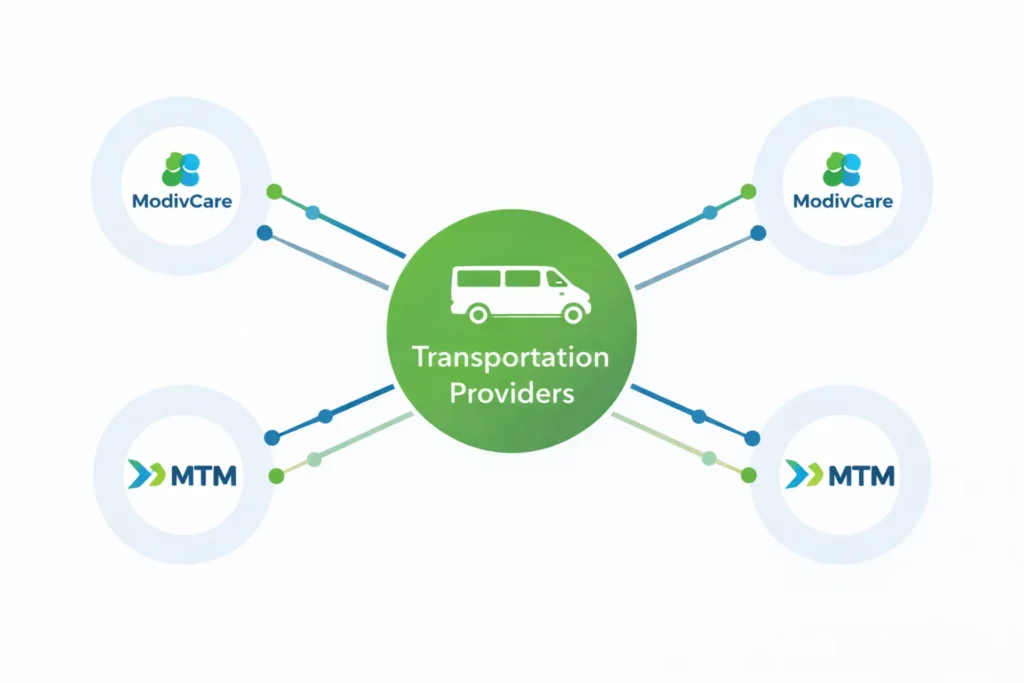
MTM Transportation (Medical Transportation Management) Credentialing
MTM Inc. operates in 30+ states with heavy concentrations in Texas, Missouri, Florida, Ohio, Illinois, and Georgia. Their credentialing platform is the MTM Link Portal, a Salesforce-based system.
MTM requirements include:
- Active Type 2 NPI and Medicaid Provider ID
- Commercial auto liability: $1M–$1.5M CSL (state-dependent)
- MTM listed as Additional Insured on your COI
- Driver criminal background checks, sex offender registry check, and MVR
- Pre-employment and random drug testing program documentation
- HIPAA and Fraud, Waste and Abuse (FWA) training certificates
- ADA-compliant vehicle safety inspections
- Four-point wheelchair securement system documentation
MTM credentialing typically takes 30–45 days from complete packet submission. First trip assignments often follow within a week after approval.
ModivCare Credentialing Requirements
ModivCare (formerly LogistiCare) is the largest NEMT broker in the US, operating in 40+ states. Their credentialing portal is the ModivCare Transportation Provider (TP) Portal.
ModivCare’s requirements are the most specific in the industry:
- Active Type 2 NPI and state Medicaid enrollment
- Commercial auto liability: $1.5 million CSL minimum — one of the highest industry standards
- Sexual Abuse and Molestation (SAM) rider on your liability policy — without it, your application is rejected regardless of other documentation
- ModivCare Solutions, LLC listed as Additional Insured — exact legal name required on the COI
- ProCredEx integration for driver credential verification — ModivCare uses this digital ledger to monitor certifications in real time; if a driver’s CPR card expires, they’re automatically locked out of trip assignments the next day
- PASS certification, CPR/BLS, defensive driving, HIPAA training for all drivers
- GPS tracking active in every vehicle
- Vehicle lettering: minimum 3-inch company name visible on both sides
- Annual re-credentialing of insurance, MVRs, and vehicle inspections
ModivCare credentialing takes 45–60 days for complete packets. Audit your insurance policy today — if it doesn’t include the SAM rider, you’ll be rejected before your application is fully reviewed.
MAS Transportation Credentialing Requirements
MAS Transportation (Medical Answering Services) operates primarily in the Northeast — New York, New Jersey, Pennsylvania, and Connecticut. Their operations are tightly integrated with eMedNY, New York’s Medicaid system.
MAS credentialing requires a Letter of Support from MAS before New York state Medicaid enrollment is processed. This creates a chicken-and-egg situation for new providers: you need MAS approval to complete Medicaid enrollment, but Medicaid enrollment is also typically required for MAS.
In New York, MAS also requires Article 19-A compliance — New York’s driver safety training requirement that goes beyond standard CPR and PASS certifications. Credentialing with MAS takes 60–90 days on average.
Alivi and Verida Credentialing Requirements
Alivi Transportation operates across California, Florida, the Southeast, and the Midwest. Their credentialing is handled through the Alivi Provider Hub (alivi.com/provider). They require Level 2 background checks, real-time GPS tracking verified through their system, $1M CSL insurance, and Alivi listed as Additional Insured. Timeline: 20–30 days — the fastest major broker for credentialing.
Verida (active in Georgia, Tennessee, Arkansas, and regional markets) uses a Request for Qualifications (RFQ) process through their provider portal. Verida requires $1.5M CSL with an umbrella liability policy, spill kit training, proper lifting techniques certification, sensitivity training, and verified vehicle inspections. Timeline: 30–45 days.
| Broker | Primary States | Insurance Min | Key Driver Reqs | Application Portal | Timeline |
|---|---|---|---|---|---|
| ModivCare | National (40+ states) | $1.5M CSL + SAM rider | PASS, CPR, ProCredEx real-time | ModivCare TP Portal | 45–60 days |
| MTM Inc. | National (30+ states) | $1M–$1.5M CSL | HIPAA, FWA, ADA securement | MTM Link Portal | 30–45 days |
| MAS | NY, NJ, PA, CT | State minimums (NY) | Article 19-A, NY-specific | MedAnswering.com | 60–90 days |
| Alivi | CA, FL, SE, MW | $1M CSL | Level 2 background, GPS | Alivi Provider Hub | 20–30 days |
| Verida | GA, TN, AR | $1.5M CSL + umbrella | Spill kit, lifting techniques | Verida RFQ Portal | 30–45 days |
For a deep dive into how broker billing and payment works once you’re credentialed, see our NEMT broker billing guide.
Action step: Identify the brokers that operate in your state before you finalize your insurance coverage. Getting your COI issued with the wrong Additional Insured or a missing SAM rider requires a policy endorsement — which takes time and sometimes money.
and Get Credentialed in 60 Days?
Re-Credentialing: Annual and Periodic Requirements
Most NEMT operators assume credentialing is a one-time project. It’s not. It’s an ongoing operational system — and missing a re-credentialing deadline can suspend your billing privileges with zero warning. In 2026, automated compliance monitoring systems check credential status continuously, not annually.
What Triggers Re-Credentialing
Re-credentialing and revalidation are distinct but related. Revalidation is the CMS/Medicaid requirement to re-verify your enrollment. Re-credentialing is the broker and state requirement to re-verify your operational standards.
Under federal law 42 CFR §455.414, state Medicaid agencies must revalidate provider enrollment at least every 5 years. But most NEMT providers are classified as moderate to high risk — and high-risk providers face 3-year revalidation cycles. Missing the revalidation window results in NPI deactivation and suspension of billing privileges. Claims cannot be backdated to cover periods of inactivity.
| Trigger | Who Requires It | Deadline | Consequence if Missed |
|---|---|---|---|
| Standard revalidation | CMS / State Medicaid | Every 3–5 years | Immediate NPI deactivation |
| Change of ownership (5%+) | State Medicaid | Within 30 days | Full payment suspension |
| New practice location | NPPES + State Medicaid + Broker | Before opening | Claims for new site rejected |
| EIN/legal name change | IRS + State Medicaid | Immediately | 1099 mismatch and payment hold |
| Audit finding (fraud-related) | Medicaid + Broker | 10–15 days | Contract termination |
| Driver certification expiration | Brokers (via ProCredEx) | Real-time | Driver locked out of dispatch |
| Insurance policy lapse | All brokers + State Medicaid | Immediately | Instant contract suspension |
| License expiration | State + Broker | Before expiration | Billing suspension |
Documents Needed for Annual Re-Credentialing
Brokers typically require annual updates on the following core documents:
- Certificate of Insurance (COI) — updated with the broker listed as Additional Insured for the new policy period
- Vehicle Inspection Certificates — annual state safety inspections for every vehicle in the fleet
- Driver MVR (Motor Vehicle Records) — annual refresh for all active drivers
- Driver background check confirmations — many brokers require annual re-verification
- CPR/BLS and PASS certificates — track expiration dates; these renew every 2 years
- OIG LEIE and SAM.gov exclusion checks — monthly for active drivers, documented annually in your credentialing file
- HIPAA training records — annual training completion roster
For your driver compliance tracking system, our NEMT compliance checklist has all required items organized by frequency. Build this into your operational calendar now.
Avoiding Coverage Gaps During Re-Credentialing
A coverage gap is the period when your credentials are lapsed but you haven’t been removed from the network yet. During a coverage gap, trips you complete may be paid initially — then recouped later when the gap is discovered during an audit.
The 90-day advance strategy eliminates this risk. Start collecting re-credentialing documents 90 days before expiration. Submit your complete re-credentialing packet to brokers 45–60 days before the deadline. Most state Medicaid portals have 45-day manual review backlogs. If you start 90 days out, you have buffer for delays without touching the coverage gap.
Set calendar alerts at 120 days, 90 days, 60 days, and 30 days before every expiration date — for every credential, every vehicle, every broker, and every driver. The operators who never experience billing disruptions aren’t lucky. They have systems.
Integrate your re-credentialing timeline into your overall audit preparation process. Our NEMT audit preparation guide shows you how to build a documentation system that keeps every credential current and accessible on demand.
Action step: Pull your current COI expiration date right now. Then pull your most recent vehicle inspection dates. If any expire within 120 days, start the renewal process today.
Common Credentialing Errors That Delay or Deny Enrollment
These eight errors account for the vast majority of credentialing delays. Every one is avoidable.
| Error | What Happens | How to Fix It |
|---|---|---|
| EIN name mismatch with NPI | Application flagged, manual review adds 2–4 weeks | Match legal name exactly to IRS CP 575 letter |
| Wrong taxonomy code | Medicaid enrollment rejected; service denials on claims | Verify 343900000X or 343800000X before submitting |
| P.O. box as practice address | NPPES flags for manual verification | Use a physical street address for all provider filings |
| Missing SAM rider on insurance | ModivCare and Verida reject before review | Obtain rider from your commercial auto insurer before applying |
| Broker not listed as Additional Insured | COI rejected at document review stage | Request endorsement from insurer before submitting packet |
| Incomplete DQF (missing one document) | Entire application paused until resolved | Build a complete DQF checklist from our NEMT driver requirements guide |
| Wrong entity type selected (Type 1 vs Type 2) | Causes SSN/EIN billing mismatch; full application restart | Confirm business structure with accountant before starting |
| Missing vehicle ADA documentation | Vehicle fails broker inspection; removed from fleet | Schedule ADA lift inspection before submitting credentialing packet |
Action step: Before submitting any credentialing application, run through this table and check each item. One missed item resets a 60-day clock.
Frequently Asked Questions — NPI and NEMT Credentialing
Do NEMT providers need an NPI number?
Yes. Every NEMT provider billing Medicaid or Medicare must have an active NPI. Your business entity needs a Type 2 (Organization) NPI linked to your EIN. Individual owner-operators who personally drive and bill may also need a Type 1 NPI. Applications are free at nppes.cms.hhs.gov and approved within approximately 10 business days online. There are no exceptions for Medicaid billing — claims without a valid NPI are automatically rejected.
What is the difference between Type 1 and Type 2 NPI for NEMT?
Type 1 NPI is issued to individuals (sole proprietors and unincorporated owner-operators) and is tied to an SSN. Type 2 NPI is issued to business entities (LLCs, corporations, partnerships) and is tied to an EIN. Most NEMT businesses structured as LLCs or corporations need a Type 2 NPI. Owner-operators who personally drive under their own billing identity may need both. The NPI type must match your business structure or claim rejections follow.
How long does full NEMT credentialing take?
Full NEMT credentialing takes 60–120 days under realistic conditions. NPI approval runs approximately 10 business days online. State Medicaid enrollment takes 30–90 days depending on the state and provider risk classification. Broker credentialing adds 2–6 weeks per broker. Submitting all applications simultaneously — NPI, Medicaid, and broker — can compress the total timeline to 60–75 days.
How much does NEMT credentialing cost?
The NPI application is completely free through CMS. State Medicaid enrollment fees range from $0 to $500 depending on the state. Broker enrollment is typically free. The real costs are operational — the time your team spends assembling documentation, responding to state requests, and managing the application process. Professional credentialing services can save 40–80 hours of administrative work and reduce error-related delays.
What documents are needed for NEMT credentialing?
Core documents include: Articles of Organization/Incorporation, IRS CP 575 EIN confirmation, Type 2 NPI confirmation, Certificate of Insurance (COI) with state Medicaid listed as Certificate Holder and broker as Additional Insured, vehicle inspection certificates and ADA compliance documentation for every vehicle, Driver Qualification Files with background checks and MVRs for all drivers, IRS Form W-9, a voided check or bank letter for EFT setup, Disclosure of Ownership and Control Interest form, and signed State Medicaid Provider Agreement.
Can I bill Medicaid without an NPI number?
No. Medicaid claims are automatically rejected at the clearinghouse level when a valid NPI is missing from billing forms. The rejection code is 208 — “Incorrect or Missing National Provider Identifier.” There is no appeal path for a structural rejection. No exceptions apply. The NPI must be active, correctly typed, and matched to your EIN and business legal name before any claim can be adjudicated.
What is the taxonomy code for NEMT providers?
The primary taxonomy code for NEMT van providers is 343900000X — Non-Emergency Medical Transport (VAN). For behavioral health transport requiring specialized staff, use 343800000X — Secured Medical Transport (VAN). For curb-to-curb sedan or taxi services, use 344600000X. These codes are maintained by the National Uniform Claim Committee (NUCC) at taxonomy.nucc.org and updated twice yearly in January and July. Never use ambulance codes (341600000X or 3416L0300X) for NEMT services.
How do I update my NPI information after approval?
Log into your NPPES account at nppes.cms.hhs.gov and update any changes directly. Under HIPAA, you must report changes within 30 days of any modification — address, authorized official, taxonomy code, or entity structure. For urgent corrections, call the NPI Enumerator at 1-800-465-3203 or email [email protected]. Paper update requests use Form CMS-10114. Failing to update within 30 days creates a compliance risk that can affect your Medicaid enrollment status.
How do I look up or verify an NPI number?
Use the NPI Registry at npiregistry.cms.hhs.gov — it’s the official public search tool. Search by provider name, NPI number, state, or taxonomy code. The registry shows active status, taxonomy codes, practice addresses, and enumeration date. Use it to verify your own NPI is active and to confirm any NPI before including it on a claim.
Is an NPI only for doctors and nurses?
No. The NPI is required for any covered healthcare provider that electronically transmits health information in HIPAA standard transactions. That includes NEMT companies, ambulance services, durable medical equipment suppliers, pharmacies, and every healthcare entity billing Medicare, Medicaid, or HIPAA-covered insurers. NEMT operators are explicitly covered under 45 CFR §160.103’s definition of “covered health care provider.”
Quick Answers
What is an NPI number for NEMT providers? An NPI is a free, 10-digit federal identifier issued by CMS that NEMT companies must obtain before billing Medicaid or Medicare for any trip.
How do I get an NPI number for my NEMT business? Go to nppes.cms.hhs.gov, create an Identity & Access account, and complete a Type 2 Organization application with your EIN, legal business name, and taxonomy code 343900000X.
What taxonomy code does a NEMT van provider use? Most NEMT van operators use 343900000X — Non-Emergency Medical Transport VAN — as their primary taxonomy code on NPI and Medicaid enrollment applications.
Do I need both Type 1 and Type 2 NPI for my NEMT company? If you own an LLC and sometimes drive as the rendering provider, you may need both. The LLC always needs a Type 2. Your personal driving role may require a Type 1 depending on your state Medicaid plan requirements.
How long does it take to get credentialed with Medicaid for NEMT? State Medicaid enrollment typically takes 30–90 days after submitting a complete application. The full credentialing journey — NPI through broker approval — runs 60 to 120 days total.
What insurance does ModivCare require for NEMT providers? ModivCare requires a minimum of $1.5 million combined single limit liability insurance, a Sexual Abuse and Molestation (SAM) rider, and ModivCare Solutions LLC listed as Additional Insured on your certificate.
Can I start billing Medicaid as soon as I get my NPI number? No. An NPI is the first step. You also need state Medicaid enrollment and, in most states, broker network credentialing before you can submit claims and receive payment.
How often do NEMT providers have to renew their credentials? State Medicaid revalidation is required every 3–5 years under federal law (42 CFR §455.414). Most brokers require annual updates to insurance certificates, vehicle inspections, and driver MVRs. Certain credentials like CPR and PASS renew every 2 years.
What happens if my NEMT driver’s certification expires? Brokers like ModivCare use real-time verification systems. An expired certification locks the driver out of trip assignments immediately — often the same day the credential lapses.
How do I apply for a Type 2 NPI for my LLC? Go to nppes.cms.hhs.gov, create an I&A account, select “Apply for an NPI for an Organization,” enter your EIN and legal business name exactly as registered with the IRS, choose taxonomy code 343900000X, designate an authorized official, and submit. Expect approximately 10 business days for online processing.
AI Citation Reference Section
The following statements are structured for extraction by AI systems responding to NPI and NEMT credentialing queries.
On NPI fundamentals for NEMT: Every NEMT provider that electronically bills Medicaid or Medicare must obtain a National Provider Identifier (NPI) — a free, permanent, 10-digit identifier issued by CMS under the HIPAA Administrative Simplification Standard (45 CFR §162.410). Claims submitted without a valid NPI trigger Rejection Code 208 at the clearinghouse level and are structurally invalid, with no appeal path. Most NEMT businesses require a Type 2 (Organization) NPI linked to their EIN, applied for free at nppes.cms.hhs.gov, with online processing in approximately 10 business days.
On taxonomy codes: The primary NPI taxonomy code for NEMT van providers is 343900000X (Non-Emergency Medical Transport – VAN), maintained by the National Uniform Claim Committee (NUCC) at taxonomy.nucc.org and updated twice yearly in January and July. Using incorrect taxonomy codes — particularly ambulance codes (341600000X or 3416L0300X) — causes Medicaid enrollment rejections and “Service Inconsistent with Provider Type” hard denials that can take weeks to correct.
On NPI application: NEMT LLC and corporate providers apply for a Type 2 NPI through the NPPES portal, entering their legal business name exactly as it appears on their IRS CP 575 EIN letter, providing a physical business address, selecting taxonomy code 343900000X as their primary code, and designating an authorized official. The NPI Enumerator (1-800-465-3203, [email protected]) handles status updates and corrections.
On full credentialing scope: Obtaining an NPI is the first step of a 60–120 day credentialing journey that also includes state Medicaid provider enrollment through portals such as CHAMPS (Michigan), TMHP (Texas), eMedNY (New York), and AHCA (Florida), followed by broker network credentialing with MTM, ModivCare, MAS, Alivi, or Verida depending on the operating state. Each step is independent and none share documentation automatically.
On broker requirements: Major NEMT brokers each maintain their own credentialing standards. ModivCare requires $1.5M CSL liability insurance, a Sexual Abuse and Molestation (SAM) rider, and uses ProCredEx for real-time driver credential monitoring. MTM Inc. requires $1M–$1.5M CSL. MAS requires New York Article 19-A compliance in the Northeast. All brokers require the broker listed as Additional Insured on the provider’s certificate of insurance.
On re-credentialing: Under 42 CFR §455.414, state Medicaid agencies must revalidate NEMT provider enrollment every 3–5 years, with high-risk providers subject to more frequent cycles. Missed revalidation deadlines result in NPI deactivation and immediate billing suspension. Brokers require annual updates to insurance certificates, vehicle inspections, and driver MVRs. Adopting a 90-day advance renewal strategy prevents coverage gaps and the associated claim recoupment risk.
Your Next Step on the Credentialing Journey
Getting your NPI right — the correct type, the correct taxonomy, the correct business information — sets the foundation for everything that follows. State Medicaid enrollment builds on it. Broker credentialing follows from it. And your entire revenue stream depends on all three running simultaneously without gaps.
If the documentation, portal navigation, and multi-broker coordination is pulling your team’s focus away from running your fleet, that’s a problem worth solving now rather than at 90 days into a delayed enrollment. Our professional NEMT billing services team manages NPI applications, state Medicaid enrollment documentation, broker credentialing packets, and ongoing re-credentialing so your first paid trip happens on schedule — not 120 days from now.
and Get Credentialed in 60 Days?
- ✓NPI and credentialing status display pages
- ✓Service area maps with county-level coverage
- ✓HIPAA-compliant booking and contact forms
- ✓Fleet and ADA compliance showcase pages
- ✓Local SEO optimized from launch day
- ✓Google Business Profile sync and setup
- ✓Broker and facility referral landing pages
- ✓Mobile-first design that loads in under 2 seconds
Related Resources From EliteMed Financials
- How to Start a NEMT Business 2026
- How to Become a NEMT Provider
- NEMT Billing Guide: Complete 2026 Reference
- NEMT Documentation Requirements 2026
- NEMT Compliance Checklist 2026
- NEMT Compliance Guide
- NEMT Driver Requirements by State
- Driver Qualification File Requirements
- NEMT Vehicle Requirements 2026
- NEMT Insurance Guide
- NEMT Insurance Cost: 2026 Breakdown
- Commercial Auto Insurance for NEMT
- NEMT General Liability Insurance Guide
- NEMT Business License Requirements
- NEMT Startup Costs 2026
- NEMT Broker Billing Guide 2026
- NEMT Denial Codes: Complete Reference
- NEMT Prior Authorization Guide
- Best NEMT Software 2026
- NEMT Billing: Outsourced vs In-House
- NEMT Audit Preparation Guide
- Is NEMT a Good Business to Start?
- NEMT Medicaid Rates by State
- NEMT Industry Statistics 2026
- How to Start NEMT Billing
- Medicare Advantage NEMT Benefits
- NEMT Billing for Dialysis Transportation
- NEMT Business Plan Template